Here you’ll learn to download and emulate Operating Systems using Qemu.
Qemu
For more information about arguments see the documentation Qemu doc
Qemu emulates hardware (like processors and peripherals) using dynamic binary translation (converts binary code of the source architecture into understandable by the host architecture).
Is an hypervisor type 2.
sudo apt-get install qemu-kvm qemu
Installing virtual machines
Create a directory for the qemu images:
mkdir ~/.qemu/qemuVMCreate a directory for each OS, where:
Create a directory:
mkdir OSnameCreate a VHD (virtual hard disk) for the VM:
qemu-img create -f qcow2 qemu_disk.qcow2 20GOr the format qcow2:
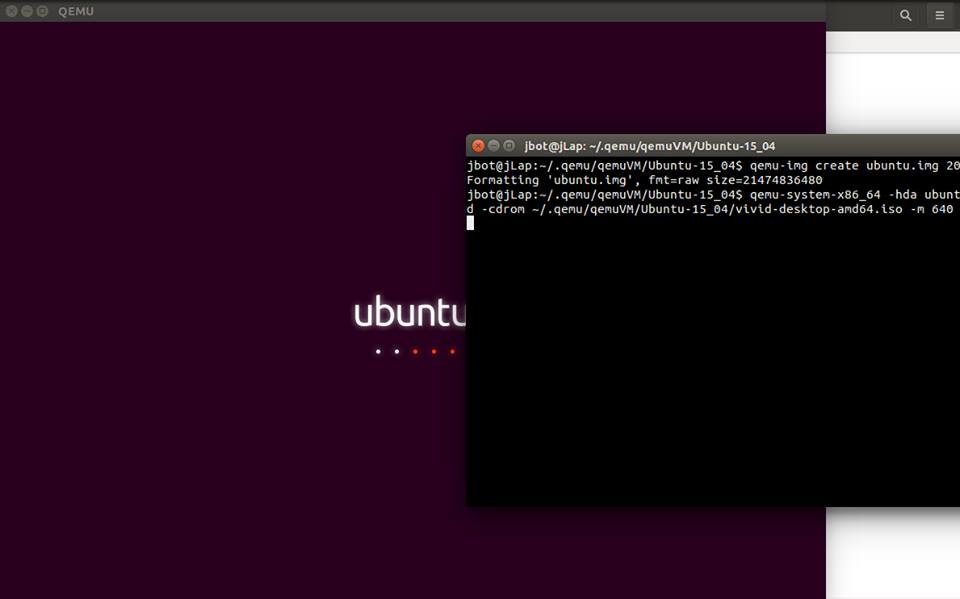
qemu-img create ubuntu.img 20Gqcow: QEMU copy-on-Write, specifies the type of image disk, where 20G is the memory amount to be used.
Create a distro of the iso image and then install:
qemu-system-x86_64 -drive file=qemu_disk.img,if=virtio,index=0 -cdrom OS-server.iso -m 640 -boot d -net nic,macaddr=52:54:00:fa:ce:05,model=virtio -net user,hostfwd=tcp::2005-:22or also:
qemu-system-x86_64 -hda ubuntu.img -boot d -cdrom /home/$USER/path/to/iso/OS-server.iso -m 640After the installation, run:
qemu-system-x86_64 -drive file=qemu_disk.img,if=virtio,index=0 -net nic,macaddr=52:54:00:fa:ce:05,model=virtio -net user,hostfwd=tcp::2005-:22or also:
qemu-system-x86_64 -hda ubuntu.img -m 640
Here i show you an example with Ubuntu 15.04 (yeah, i did this 2 years ago).