
This is a guide for novice on use git tool to practice with a version control system.
git
Git is a software control version system, using logs, you can see all modification (named as commit) of one project.
sudo apt-get install git
First of all, set your user info in your host machine.
For one local repository, on the actual dir:
git config user.name "username"
git config user.email "usermail"
For all repositories on our machine:
git config --global user.name "username"
git config --global user.email "usermail"
Creating a new repository
There are 2 methods:
First of them, using github.
In github homepage, with your user logged, click on the
+button located on left-top of screen.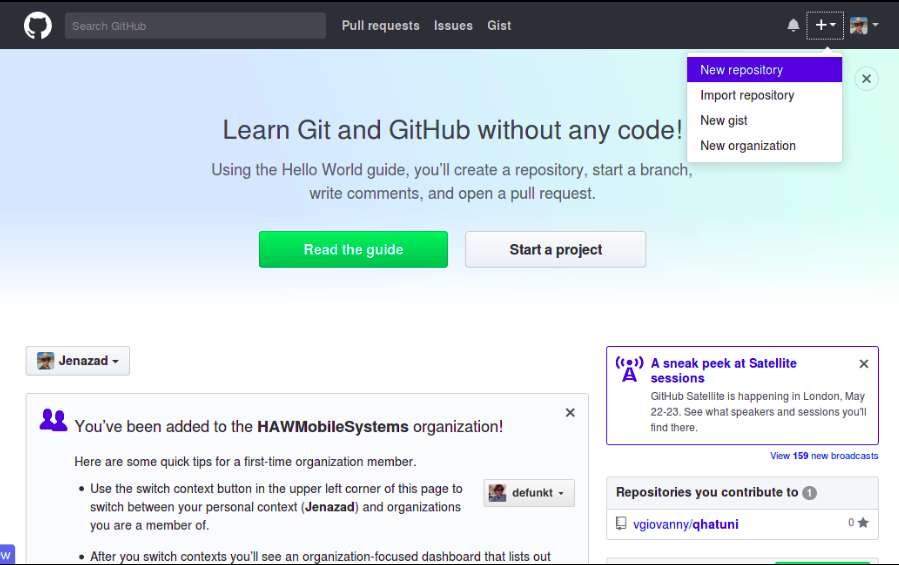
Then, choose a repository name y add some description and press Create repository.
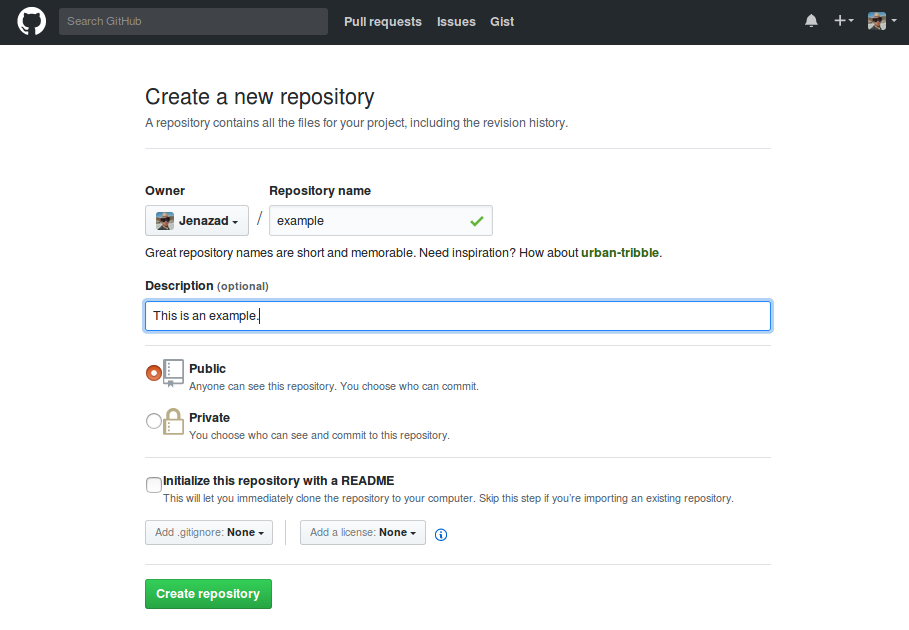
If you choose
Initialize this repository with a READMEautomatically creates a repository.Then, github shows this screen, with 4 options:
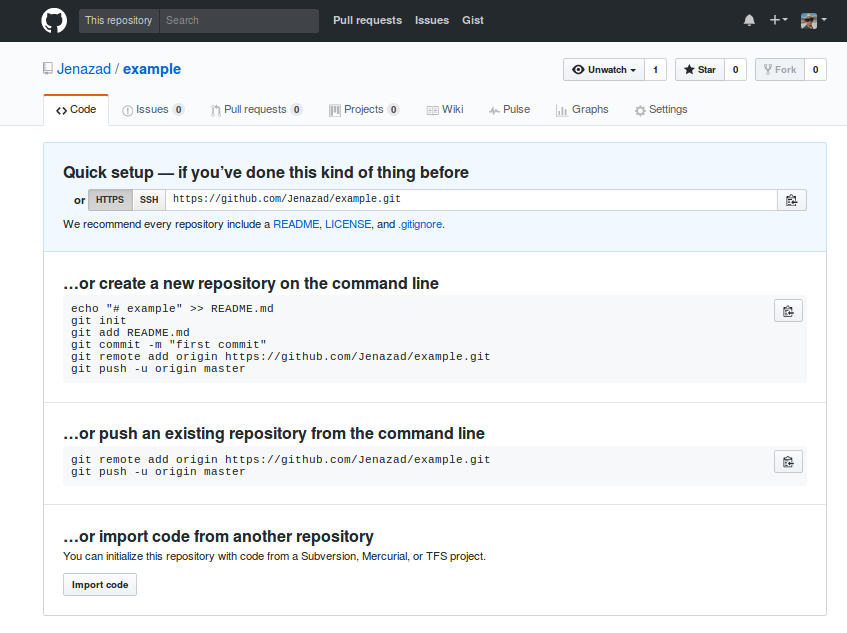
Create a README, LICENSE and .gitignore files:
If you click on any of that options, github shows this screen (I choose README).
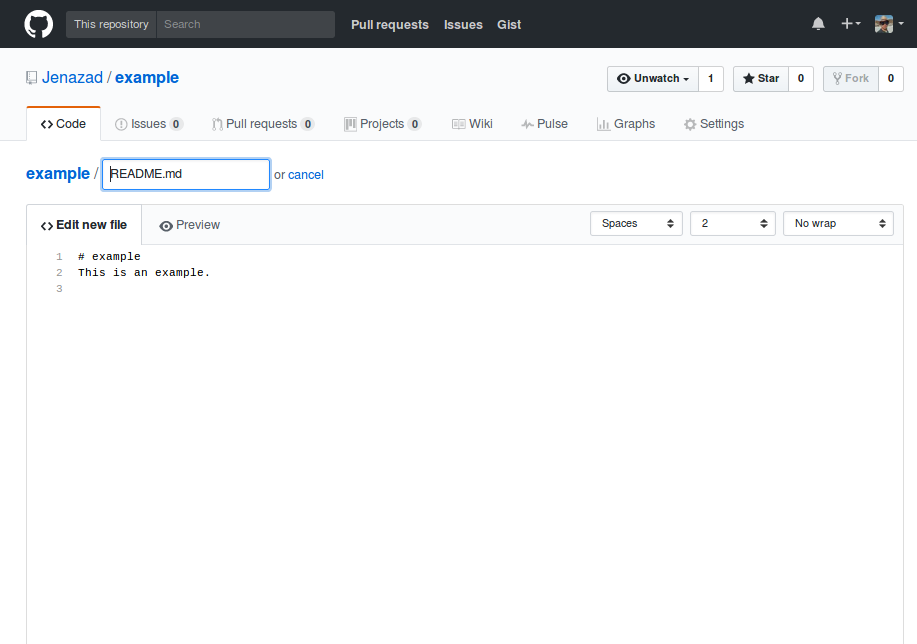
Then click on
commit new file, and now you created your first repository.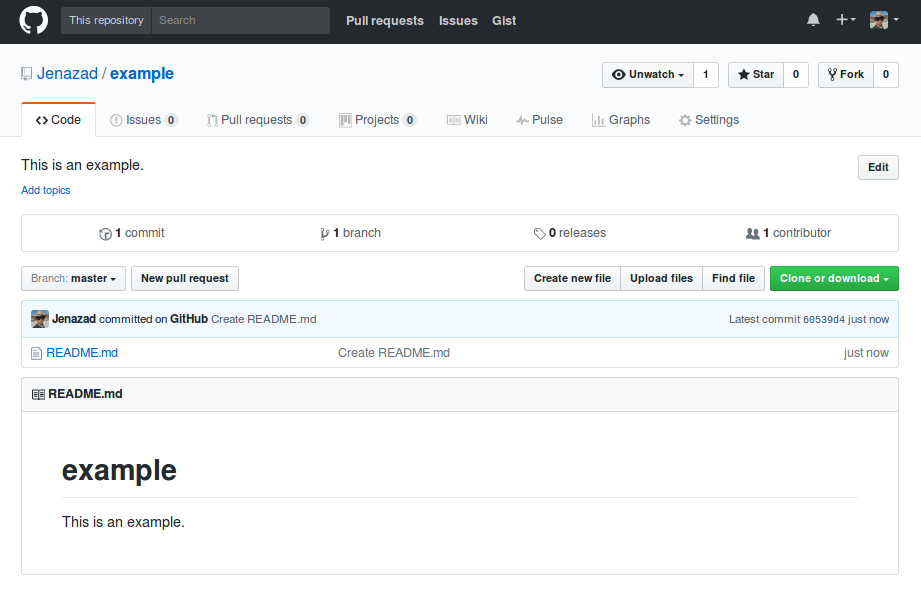
Create a new repository on the command line:
Create a dir to test git commands:
mkdir gitTest
cd gitTest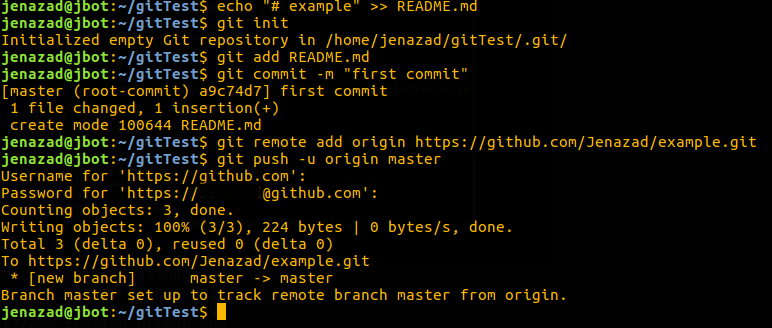
Then, check on your reposiory example and see the changes.
Import code from another repo, Write the remote repository url:
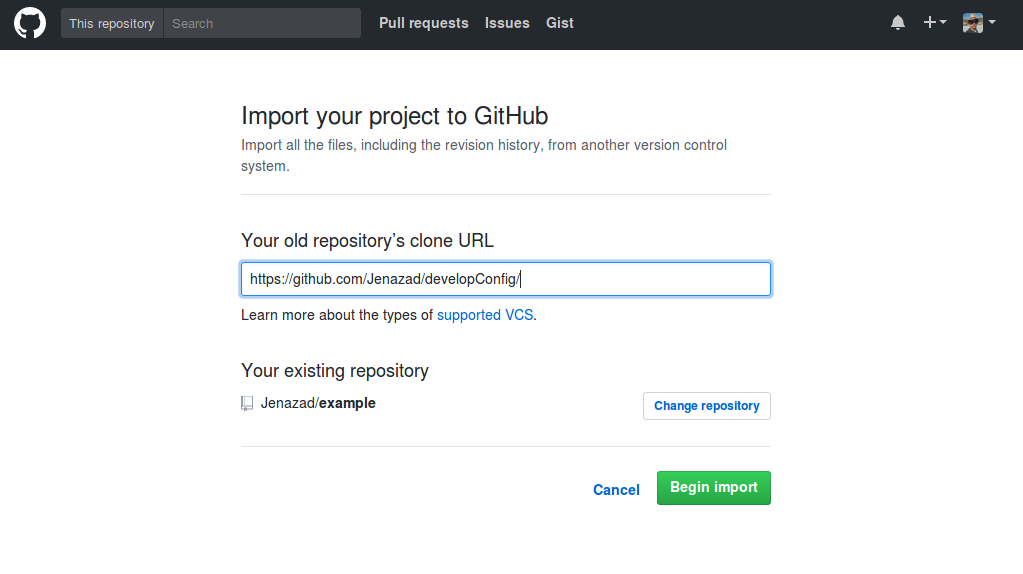
Click on
Begin importand wait a few minutes while is copying the remote repo.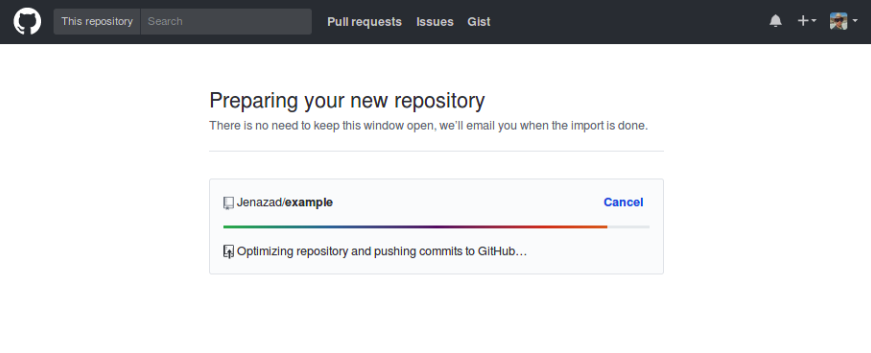
Or click on
change repository, this will be clone a remote repository to a new repository (different of example).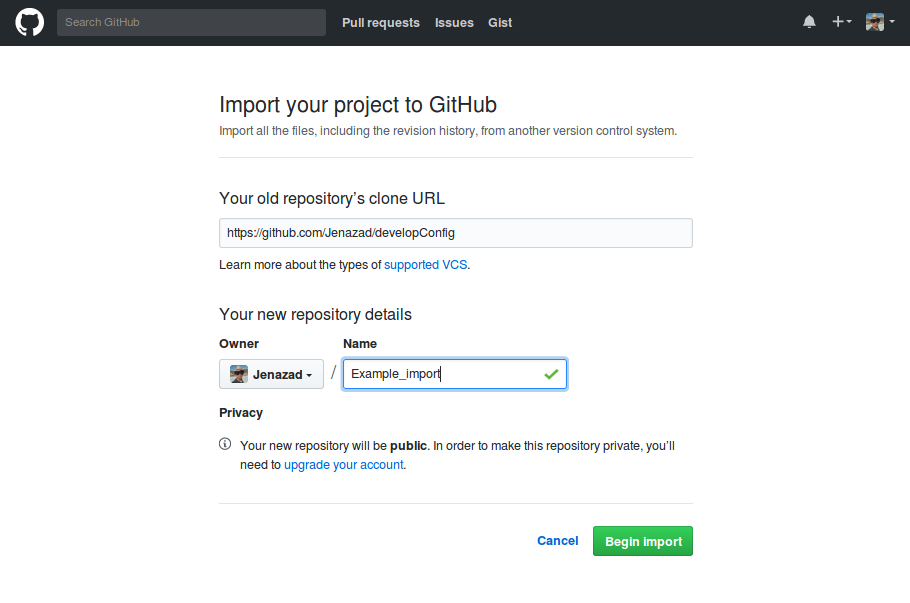
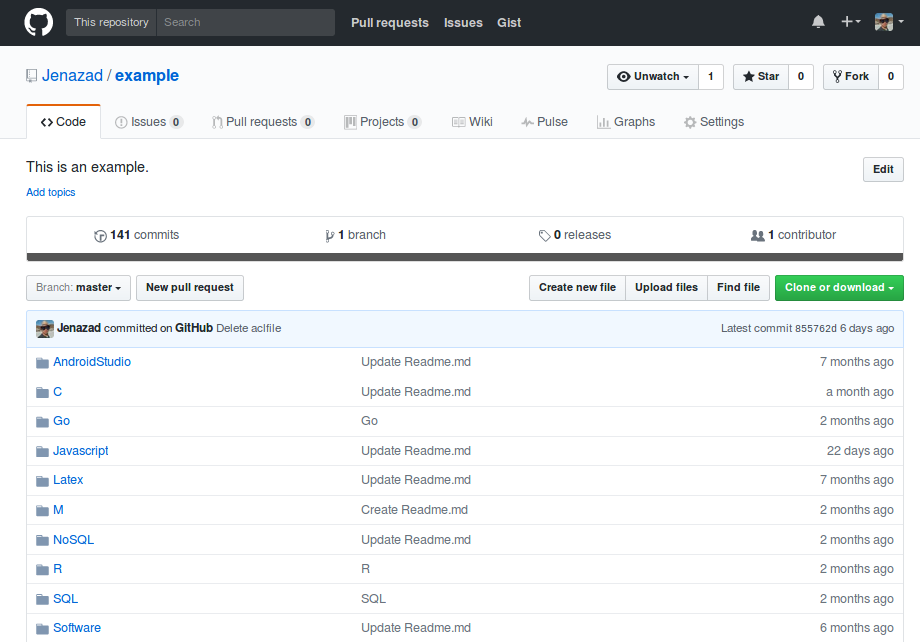
Then, check your example repository and see files that were cloned.
Second, create a repository from terminal:
repo_name="example"
github_username="Jenazad"
curl -u $github_username https://api.github.com/user/repos -d "{\"name\":\"$repo_name\"}"
Next, we init the local repository:
git init
git remote add origin "https://github.com/$github_username/$repo_name.git"
And then, create some file like
Readme.mdand push it:touch Readme.md git add . git commit -m "readme" git push origin master
Commands
Check file status:
git statusAdd files/directories to the local repository:
git add .Confirms the uploaded files and set ready to upload to remote from local repository:
git commit -m "modify"Push new files to remote repository:
git push origin masterPull newest uploaded files from remote to local repository:
git pull origin masterConfigurate a local repository in
.git/configadd the fields[remote "origin"] url = https://github.com/path/repo.git fetch = +refs/heads/*:refs/remotes/origin/*