
Here you will learn to “hack” and change your package name of your apk.
App Inventor
You should check from my app inventor tutorial here.
Change Package Name
First, you should know that the package name of the app created with AppInventor is like
appinventor.ai_youremail.appname.So, If we want change our
appinventor.ai_felipe_moreno_v.rgobeApppackage name tocom.rolnomev.rgobe, we must follow this steps.Download apkTool from this repository apktool for linux or follow the respective steps for others Operating Systems here.
Once download (I downloaded apktool_2.3.1.jar version), you can use it.
Then, Build your apk project from AppInventor. My apk is named rgobeApp.apk.
Then, I uncompress my apk file writing this:
java -jar apktool_2.3.1.jar d rgobeApp.apk
This command generates a file directory with name
rgobeAppof our android project like:
Next, modify
AndroidManifest.xmland other files in project, I used Gedit: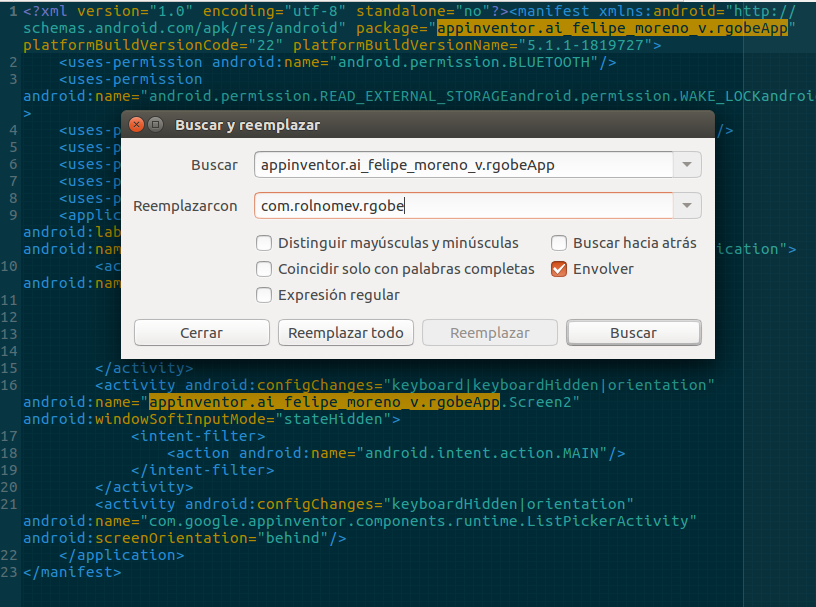
Also, you must change files in
/smali/appinventor/ai_felipe_moreno_v/rgobeApp/(in this case).
Modify in these file the regular text from Lappinventor/ai_felipe_moreno_v/rgobeApp/ to Lcom/rolnomev/rgobe in all files of that directory path.
Next, create directories path as your new package name like:
/smali/com/rolnomev/rgobe.Next, copy files from
/smali/appinventor/ai_felipe_moreno_v/rgobeAppto new dir/smali/com/rolnomev/rgobe.Once your finish to replace all coincidences, yo should to rebuild the apk, writing this:
java -jar apktool_2.3.1.jar b rgobeApp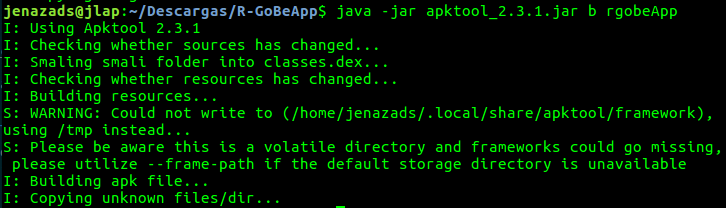
Now, you can install your apk in your mobile phone and enjoy your app with new package name.
Notes
You can upload your apk in google play with your new package name, instead the package name that appinventor gives you by default.
Maybe this method will be deprecated as time passes.