
Here I’ll teach you how to create your own gedit theme.
gedit
Is a text editor, compatible with UTF-8, it was developed using GTK+ and gnome.
Basic xml file architecture
If you look at an xml file or seeing different websites, you will notice that they have the following format:
    <?xml version="1.0" encoding="UTF-8"?>
    <style-scheme id="mwtheme" _name="MwTheme" version="1.0">
      <author>Jenazad</author>
      <_description>A light theme based on Monokai and Tinger</_description>
    </style-scheme>
Then, you must define your variables and their colors like:
<style name="cursor" foreground="fuchsia"/>
For example, the previous line we defined a variable cursor with color fuchsia.
We can define color variable name like:
    <color name="gray"        value="#bbbbbb"/>
    <color name="white"       value="#eeeeee"/>
    <color name="full_white"  value="#eeeeee"/>
    <color name="yellow"      value="#fce94f"/>
    <color name="senape"      value="#acc900"/>
    <color name="red"         value="#ff2f6a"/>
    <color name="ambra"       value="#ff9900"/>
    <color name="asfalto"     value="#555753"/>
    <color name="lime"        value="#96ff00"/>
    <color name="green"       value="#00c900"/>
    <color name="alga"        value="#00c99b"/>
    <color name="aqua"        value="#00d8ff"/>
    <color name="orange"      value="#ff6100"/>
    <color name="cyan"        value="#009cff"/>
    <color name="violet"      value="#9e91ff"/>
    <color name="light_blue"  value="#adb2ff"/>
    <color name="carbon"      value="#232323"/>
    <color name="pink"        value="#ff3a35"/>
    <color name="purple"      value="#bb66ff"/>
    <color name="fuchsia"     value="#ff44cc"/>
    <color name="magenta"     value="#ff79d9"/>
    <color name="blue"        value="#97e1ff"/>
    <color name="bright_blue" value="#00fffa"/>
    <color name="less_grey"   value="#dddeee"/>
    <color name="less_black"  value="#080d12"/>
Once upload the xml file on Gedit, the document looks like:
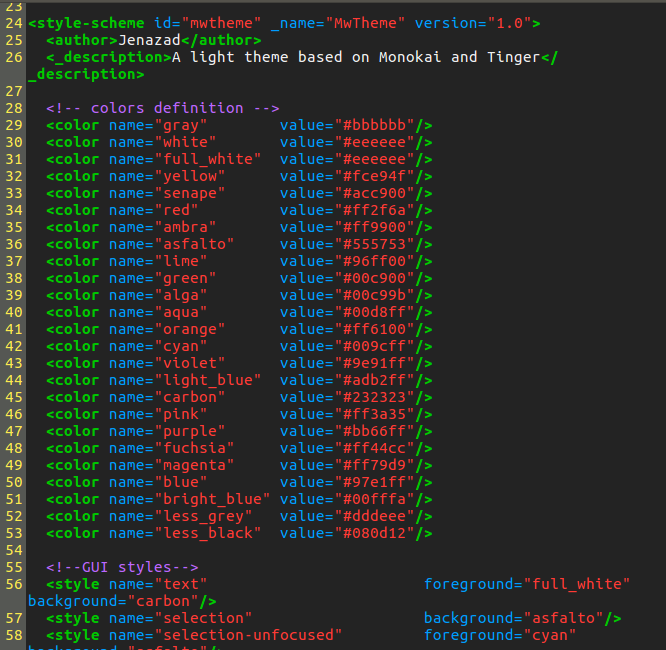
You can see my example MwTheme.xml here.